Why Is Tasks.Bot the Best for Voice and Text Task Creation?
Your team already juggles WhatsApp chats, field visits, and status updates across multiple apps. That split attention costs you hours every week and leaves task details scattered where nobody can find them. Tasks.Bot removes that friction by turning the messaging app your staff already uses into the task manager itself.
By the end of this article, you will know exactly how voice notes become assigned tasks, why text commands need zero training for new users, and whether the 200 per member monthly plan fits your field team budget. You will also see the map view, live tracker, and face verification features that separate this tool from generic task apps.
What Is Tasks.Bot?
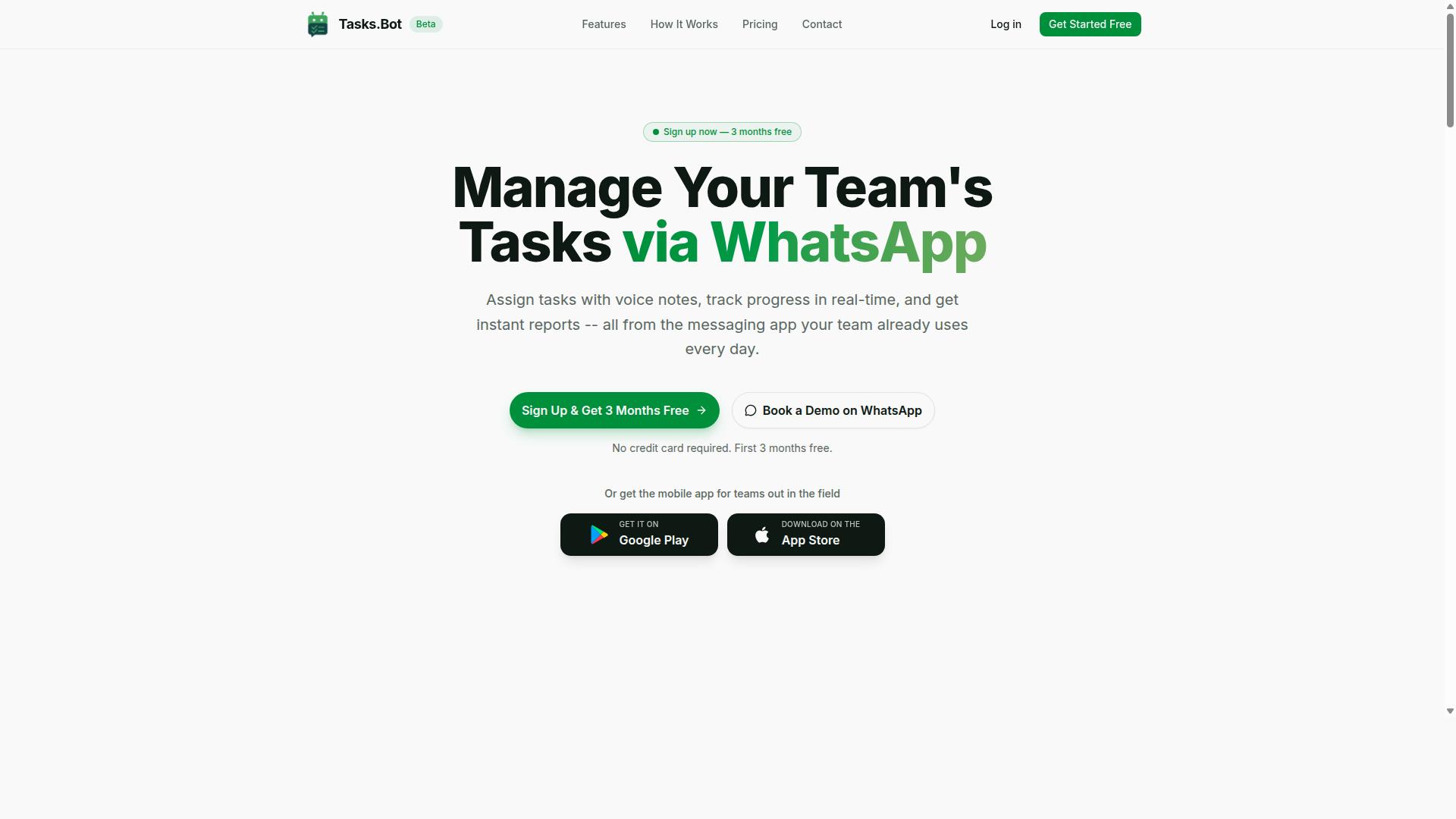
Tasks.Bot is a SaaS platform that turns WhatsApp into a full-fledged task management hub, letting teams create, assign, and track tasks without leaving their chat app. The service is currently in beta and offers a free trial period, making it easy for teams to test its capabilities.
The platform operates through a familiar messaging interface, which means there is no steep learning curve for new users. Its core purpose centers on task assignment, progress tracking, and reporting, all delivered as simple chat messages.
For teams that work in the field, Tasks.Bot also provides a dedicated mobile app. This extension keeps remote workers connected to the same workflow, ensuring everyone stays aligned whether they are at a desk or on the move.
Task Management That Lives Inside WhatsApp
Unlike traditional task management tools that require a separate dashboard, Tasks.Bot integrates directly into WhatsApp, so every action-from creating a task to receiving reports-happens in the chat interface. Team members do not need to learn a new interface or remember another login. They simply keep working in the app they already use daily.
Task creation is flexible and fast. Users can type a text command or send a voice note, and the platform uses AI to understand the intent behind the message. This natural language processing converts casual conversation into structured tasks, complete with assignments and deadlines.
Updates arrive as chat messages, which feels more like a conversation than a formal report. When someone completes a task or a deadline approaches, the relevant information appears right in the thread. This design keeps everyone informed without the need to check a separate portal.
The mobile app extends this convenience for field workers. It includes push notifications, voice capture, and a home screen widget, so remote staff can manage their duties with minimal friction. Whether a worker is on site or in transit, real-time task capture stays within reach.
This approach reduces the friction of switching between tools. By keeping task management inside a messaging app, Tasks.Bot supports hands-free productivity for users who prefer speaking over typing. The result is a workflow that feels natural, responsive, and easy to adopt across an entire team.
Why Tasks.Bot Excels at Voice and Text Task Creation
Tasks.Bot stands out by letting users create tasks in plain language, whether typed or spoken, thanks to its AI-driven natural language understanding. This approach removes the friction of traditional task management apps that force you into rigid forms and dropdown menus.
Instead of learning a new system, you simply communicate the way you already do. The AI interprets your intent, extracts the key details, and turns a casual sentence into a structured, actionable task. This makes voice task creation and text task creation feel effortless.
The speed of capture is the biggest advantage. A task that takes a minute to log in a traditional app takes seconds with Tasks.Bot. For field workers, the hands-free benefit is transformative, allowing them to log work while their hands are busy.
This ease of use means tasks are captured in real time instead of being forgotten. The following sections break down exactly how the AI understands you and why your team will adopt it without any training.
AI-Powered Natural Language Understanding
With natural language processing, you can say or type 'Remind Rahul to submit the report by Friday at 5 PM' and Tasks.Bot automatically creates a task with the right assignee and deadline. This is possible through a combination of three core AI capabilities that work together instantly.
Intent recognition identifies the action you want to take. The AI understands that you are creating a reminder, scheduling a follow-up, or assigning a new piece of work. Entity extraction pulls out the specific details, such as the assignee's name, the due date, the time, and the priority level. Contextual understanding allows the AI to handle follow-ups and adjustments, so you can say "push that to Monday" and it knows exactly which task you mean.
The system fully supports voice notes alongside typed commands. The speech-to-text accuracy is high, meaning your spoken words translate into clean, structured data without requiring you to repeat yourself. There are no rigid commands to memorize.
Consider a practical example of a voice command: "Tell Sarah the client meeting is moved to 2 PM and mark it as high priority." Tasks.Bot processes this sentence, identifies the action as a task update, extracts Sarah as the assignee, and applies the time and priority changes. This conversational AI turns natural speech into reliable task scheduling and reminder setting without any manual data entry.
Zero Learning Curve: No New Apps or Accounts for Team Members
Because Tasks.Bot works inside WhatsApp, team members don't need to install extra apps or create new accounts, they simply continue using the chat app they already know. This is the core of its zero learning curve design.
Traditional task management tools require setup, training, and ongoing administration. Team members often resist adopting new software because it adds complexity to their day. Tasks.Bot eliminates this barrier entirely by meeting people where they already communicate.
Team members can start creating tasks immediately via text commands or voice notes. There is no dashboard to learn and no interface to navigate. The chat interface is the interface, which makes adoption nearly automatic. This low friction is critical for teams that are remote, distributed, or constantly on the move.
For administrators, the system allows you to set up task automation for assignment and reminders. This means routine work is handled automatically, reducing manual oversight. The combination of instant usability and backend workflow automation makes Tasks.Bot a practical productivity tool that teams actually use, rather than a system they ignore after the first week.
The result is higher adoption rates and more consistent real-time task capture. When creating a task is as simple as sending a message, your team will log more work, miss fewer deadlines, and keep everyone aligned without any formal training sessions.
Key Features That Make Voice and Text Creation Stand Out
Beyond basic task capture, Tasks.Bot packs features that leverage voice and text inputs to streamline assignment, scheduling, and field operations. The platform uses AI to understand user intent and create tasks from messages, whether you type them or speak them.
This means your natural language becomes the command center for your workflow. Voice task creation and text task creation both feed into the same intelligent system, so nothing gets lost in translation.
The feature set is designed around real-world team needs. Automatic assignment, smart reminders, and field-specific tools all activate through simple conversational prompts. You describe what needs to happen, and the system handles the rest.
This approach turns a task management app into a true smart assistant. Instead of navigating menus and forms, you simply communicate, and the AI interprets, organizes, and executes.
Voice Notes, Automatic Assignment, and Smart Reminders
Send a voice note like 'Assign a follow-up call to Priya tomorrow at 10 AM' and Tasks.Bot will create the task, assign it to Priya, and schedule a reminder automatically. This is the core promise of hands-free productivity made real.
The AI uses natural language processing to parse your voice note and extract the essential details. It identifies the action, the person, the date, and the time, then builds a structured task from that raw audio input. Speech-to-text technology captures your words, while intent recognition and entity extraction give them meaning.
Automatic assignment works based on the roles and availability you have set up in the system. When you mention a teammate's name, the task routes to them instantly. You can also specify a role instead of a person, and the AI will find the right team member on its own.
Smart reminders are set based on the deadlines in your request. The system calculates when to notify the assignee and can be adjusted later via chat. Just send a text update like 'Move the call to Thursday' and the reminder shifts accordingly. This conversational AI approach to reminder setting keeps everything flexible and responsive.
For field teams, this voice-to-task capability is transformative. A manager driving between sites can capture tasks without touching a screen. A supervisor walking a job site can log follow-ups instantly. This is real-time task capture that respects your physical context.
Field-First Tools: Map View, Live Tracker, and Face-Verified Attendance
For teams with field staff, Tasks.Bot offers a map view to see task locations, a live tracker for real-time positions, and face-verified attendance to confirm visits. These tools close the loop between task creation and field execution.
The map view displays tasks geographically, giving you a visual layout of where work needs to happen. This helps with route planning and workload distribution across regions. You can see at a glance which tasks cluster together and which areas need more coverage.
The live tracker monitors staff positions in real time, so you always know where your team is during working hours. This supports better coordination and quicker responses when priorities shift. Combined with the map view, it creates a complete operational picture.
Face-verified attendance ensures accurate check-ins at job sites. Staff can confirm their presence with a photo, and the system validates it against the task schedule. This eliminates guesswork about whether a visit actually happened.
These field tools connect directly to voice and text commands. A simple message like 'Mark my attendance' with a photo updates the system immediately. The same conversational interface that creates tasks also manages field verification, so your entire workflow stays consistent. Task automation extends from the office to the field without missing a step.
Pricing and Plans
Tasks.Bot offers a single 'Full Access' plan with all features included, priced per member per month or per year. This simple structure removes the guesswork from choosing a task management app, so you never have to compare confusing feature matrices.
Instead of juggling multiple tiers, you get everything in one place. This makes Tasks.Bot a straightforward productivity tool for teams and individuals who want voice and text task creation without upgrade anxiety.
The pricing is available in Indian Rupees () and US Dollars ($), making it accessible for international users. With one transparent rate, you know exactly what you are paying for, and there are no hidden fees or surprise charges.
Full Access Plan: 200 per Member Monthly or 1,200 Annually (Save 50%)
The Full Access plan costs 200 per member per month if billed monthly, or 1,200 per member per year if billed annually, effectively saving you 50%. This annual rate works out to just 100 per month per member, which is a significant discount for long-term users.
This pricing model is designed for simplicity. All features are included in this single plan, meaning there are no locked tiers or premium add-ons. Whether you need voice commands, text commands, or advanced task automation, it is all part of the same subscription.
The savings are substantial. By choosing annual billing, you save 1,200 per year per member, which can add up quickly for growing teams. This makes Tasks.Bot a cost-effective option compared to other AI task managers that charge extra for natural language processing or speech-to-text capabilities.
New users can also take advantage of a free trial period. You get 3 months free with no credit card required, and you can cancel anytime. This lets you test the hands-free productivity features and real-time task capture before committing to a payment plan.
Whether you are an individual looking for a smart assistant or a business needing collaboration features, this single plan covers everything. The transparent pricing ensures that your budget remains predictable, while the annual option delivers the best value for those ready to commit.
Trust Signals and Current Availability
Tasks.Bot is currently in beta, but it already offers a free trial and a generous promotion to help teams get started without financial risk. Being in beta means the product is actively refined and improved, yet users gain early access to a working AI task manager built for both voice and text task creation.
Several trust signals reinforce the legitimacy of this productivity tool. The website includes a 'Book a Demo on WhatsApp' option, giving potential users a direct line to see the system in action before committing. A refund policy is also stated in the footer, which adds a layer of protection for those who want to test the waters.
For teams evaluating a task automation platform, these signals matter. They show that Tasks.Bot is confident enough in its natural language processing and conversational AI to offer a no-risk entry point. The combination of early access and clear policies makes it a safe choice to explore.
Beta Status, Free Trial, and 3 Months Free Without a Credit Card
During the beta phase, Tasks.Bot offers a free trial and a special promotion: get 3 months free when you sign up, with no credit card required. This removes the typical barrier to entry for teams testing a new smart assistant or workflow automation tool.
The beta status is a positive sign for early adopters. It means the development team is actively working on voice recognition accuracy and intent recognition features. Users who join now get a front-row seat to the evolution of this voice-to-task and text-to-task platform.
The offer itself is straightforward. You can start using Tasks.Bot without entering payment details, which keeps the evaluation process completely risk-free. This is a strong contrast to other task management apps that demand a card upfront for a trial period.
For those who prefer a guided introduction, the 'Book a Demo on WhatsApp' feature is a practical option. It allows you to see how the AI task manager handles real-time task capture and task scheduling before you invest time in setup. The refund policy in the footer adds another layer of confidence for teams that eventually move to a paid plan.
Taking advantage of the 3 months free offer is a sensible move for any team exploring hands-free productivity. It gives you ample time to test multi-modal input, calendar integration, and collaboration features without any upfront cost. The beta phase is an opportunity to shape a tool that is clearly built around user feedback.
Who Should Use Tasks.Bot
Tasks.Bot is ideal for teams that already rely on WhatsApp for daily communication, especially those with field staff who need a simple way to manage tasks on the go. The platform is built around the tools your workforce already knows, which removes the friction of learning a separate system.
Managers overseeing remote or mobile teams benefit most from the built-in attendance tracking and payroll-ready hours. Instead of chasing timesheets or guessing at hours worked, supervisors can pull accurate data directly from task activity. This turns daily operations into a clear record that both management and HR can trust.
Hundreds of teams already use Tasks.Bot for this exact purpose. The proven fit across different industries shows that the approach works in real-world conditions, not just in theory. If your team lives in WhatsApp, this tool meets them where they already are.
Teams with Field Staff Who Already Communicate via WhatsApp
If your team has sales reps, service technicians, or delivery personnel who check WhatsApp throughout the day, Tasks.Bot lets them capture tasks and report progress without switching apps. This matters because field workers rarely have time to log into a separate desktop dashboard. The chat interface keeps everything in one familiar place.
Voice notes are a natural fit for hands-free task creation while on the move. A technician driving between jobs can simply record a voice message describing the next assignment. The system processes that input and turns it into a structured task, which means the work is captured the moment it is spoken.
Text commands work just as well for quick updates. A quick WhatsApp message can update a task status, log attendance, or flag an issue for the office. This real-time task capture keeps the whole team informed without phone tag or delayed email chains.
The mobile app complements WhatsApp for location-based features, giving managers a clearer picture of where work is happening. Attendance and task reporting become a byproduct of normal communication rather than an extra administrative chore. At the end of the week, the system compiles payroll-ready hours, saving supervisors from manual spreadsheet work.
For teams that value hands-free productivity and minimal disruption, this workflow is a clear upgrade. Workers stay focused on their tasks, and managers get the data they need without constant check-ins.
Final Verdict
Tasks.Bot is a powerful yet simple solution for teams that want to turn WhatsApp into a task management powerhouse without the learning curve. The combination of AI-driven voice and text task creation means your team can capture work the way they naturally communicate, no training sessions required.
The zero learning curve is the standout advantage. If your team already uses WhatsApp, they already know how to use Tasks.Bot. Voice commands and text commands work through the familiar chat interface, which removes the friction that kills most productivity tool adoption.
For field teams, the field-focused features address real operational needs. Voice-to-task capture lets a technician log an issue while both hands are busy, and text-to-task works when typing is faster than navigating menus. This is hands-free productivity built for real working conditions.
The pricing remains affordable for small teams and growing organizations alike. You get the full power of an AI task manager with natural language processing, intent recognition, and contextual understanding without enterprise-level costs.
Tasks.Bot is currently in beta, which makes this an even lower-risk opportunity. The free trial lets you test voice recognition accuracy, task prioritization, and deadline management with your own workflows before committing. Research suggests that teams who pilot a tool with real tasks make better adoption decisions.
If you want to see how Tasks.Bot handles your specific use cases, book a demo or contact the team directly. Reach out by phone at +91 97143 42522 or email [email protected]. The team can walk you through real-time task capture, cross-platform sync, and collaboration features tailored to your operations.
Tasks.Bot delivers the essential mix of AI-driven creation, simple onboarding, and practical features at a price that makes sense. For teams ready to move task management into WhatsApp, this is the clear choice.
Frequently Asked Questions
How does Tasks.Bot create tasks from voice notes and text?
Tasks.Bot uses AI to understand natural language, so you can simply send a voice note or a text message on WhatsApp and it will automatically convert that into a structured task. This means you don't have to type out formal descriptions or fill in forms-just speak or type naturally, and the task is created for you.
Do my team members need to install a new app to use Tasks.Bot?
No. Because Tasks.Bot operates entirely within WhatsApp, your team members don't need to install anything or create new accounts to create or receive tasks. They can start assigning and tracking work right from the messaging app they already use every day.
Can Tasks.Bot handle tasks for field teams who are not at a desk?
Yes. Tasks.Bot offers a mobile app for field teams and includes features like tasks on a map and live day tracking, which are specifically designed for teams working out in the field. This makes it easy to assign location-based work and see where tasks are being completed in real time.
What happens after a task is created-does the right person get it automatically?
Yes, Tasks.Bot includes automatic task assignment, so once a task is created, it can be routed to the correct team member without manual intervention. You also get smart deadline reminders and approvals and automations, which help keep the work moving forward without you having to chase anyone.
How is Tasks.Bot priced, and is there a way to try it first?
Tasks.Bot offers a 'Full Access' plan with all features included, priced at 200 per member per month, or 1,200 per year per member (which saves you 50%). Since the service is currently in beta, the website also includes a 'Book a Demo on WhatsApp' option so you can see how it works before committing.
Is Tasks.Bot only for teams in India, or can we use it globally?
Tasks.Bot is available worldwide as a SaaS product, accessible via WhatsApp and mobile apps, with no country restrictions mentioned. Pricing is offered in both Indian Rupees () and US Dollars ($), so international teams can easily sign up and start using it.
Recommended Resources: