What Are the Best SweetProcess Alternatives for Growing Teams?
Your team has outgrown your process tool, and the workarounds are piling up. Approvals happen in email, policies live in someone's head, and every new hire adds another layer of manual tracking. Many platforms hit a ceiling once headcount climbs and compliance demands get stricter.
This article lays out what growing teams should weigh in a SweetProcess alternative: scalability, pricing, and compliance needs. You will get a side-by-side look at five options, from Process Street to Appian, plus a framework for matching tools to your team size and workflow complexity so you can pick with confidence.
What Growing Teams Should Look For in a SweetProcess Alternative
As teams scale from 10 to 100+ employees, the process documentation tools that once worked often buckle under the weight of cross-departmental workflows, compliance demands, and user adoption challenges. A platform that felt simple at a dozen users can turn into a bottleneck when five departments depend on it daily.
The symptoms usually show up gradually. SOPs get scattered across drives and wikis, so siloed documentation becomes the norm. Manual approvals slow routine requests, and audit preparation turns into a scavenger hunt for records nobody can find.
Choosing a SweetProcess alternative is not about finding the longest feature list. The right fit depends on three variables: team size, workflow complexity, and regulatory environment. A 15-person startup and a 150-person healthcare team need very different levels of control.
This section frames the evaluation around three pillars: scalability, pricing, and compliance. Each one deserves scrutiny before you commit, because switching costs rise sharply once a platform is embedded in daily operations.
Scalability, Pricing, and Compliance Needs
Scalability isn't just about user seats. It's about whether the platform can handle 10x your current workflow volume without forcing you into a custom enterprise contract or a six-month implementation.
Pricing deserves the same rigor. Growing teams often discover that the advertised tier excludes what they actually need, from API access to guest collaborators. Compliance, meanwhile, determines whether your process documentation tools can survive an audit or a customer security review.
Use the following checklist to evaluate any candidate, and ask vendors direct questions rather than relying on marketing pages.
Scalability checks:
- Are there caps on active users, guest users, or data records, and what happens when you exceed them?
- How many workflow automation actions are included per month, and what does overage cost?
- Does performance hold under load with hundreds of concurrent runs or large SOP libraries?
- Can you add departments, workspaces, or sub-teams without rebuilding your structure?
Pricing checks:
- Are tiers and limits published transparently, or hidden behind a sales call?
- Are there extra charges for API access, guest users, storage, or premium integrations?
- Is the model per-user or flat-rate, and how does cost scale at 50 or 100 seats?
- Is a free trial or pilot period available so you can test before committing?
Compliance checks:
- Does the vendor support SOC 2, ISO 27001, HIPAA, or GDPR requirements relevant to your industry?
- Are audit trails complete, and can we export audit logs for external review?
- Do role-based permissions and approval workflows match your internal controls?
- How are data retention, deletion, and breach notification handled?
Questions worth putting to every vendor include: "How many automation actions are included per month?" "Can we export audit logs?" and "What happens to our data if we leave?"
Finally, run a pilot workflow with real users before signing. Test one cross-departmental process end to end, watch where the learning curve bites, and confirm the customer support response time. A short pilot reveals more than any feature comparison matrix.
1. Process Street - Best Overall
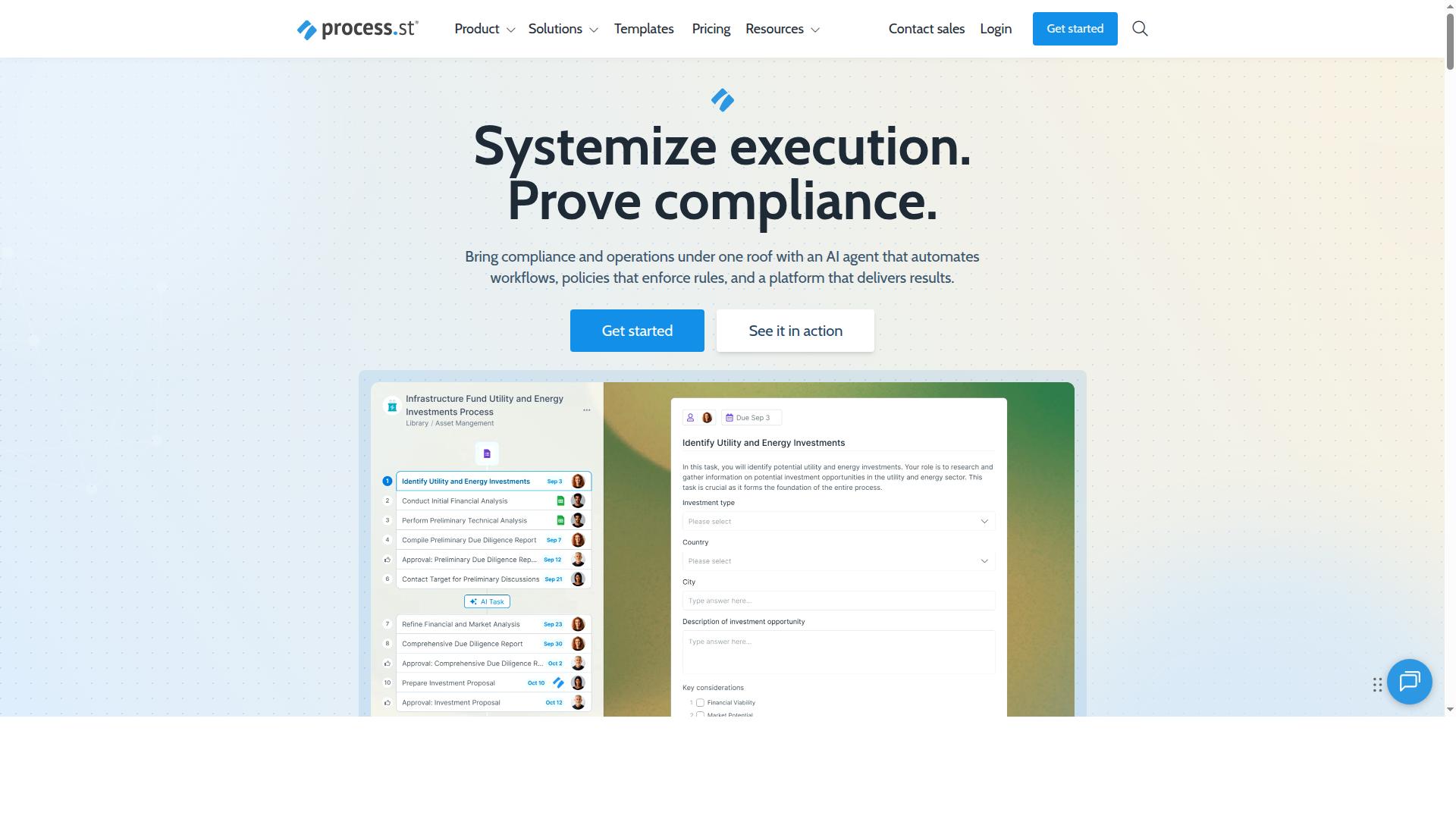
Process Street earns the top spot for growing teams because it combines document management, workflow automation, and compliance enforcement in a single platform that scales from 5 to 5,000 users without losing usability.
Most SweetProcess alternatives solve one problem well. They store SOPs, or they automate tasks, or they help with audits. Process Street treats those as one connected job, which matters when a team is adding people and processes at the same time.
The platform is built around a compliance operations model: automate business processes, enforce policies, and produce audit-ready proof. That framing suits operations, compliance, HR, finance, and IT teams across industries such as financial services, healthcare, and technology.
For a growing team, the appeal is practical. A documented process becomes a running workflow, approvals are captured as they happen, and the record stays available when an auditor or a new hire needs it. The sections below break down the specific reasons teams make the switch.
Why Growing Teams Choose Process Street
Process Street addresses the exact pain points that drive teams away from SweetProcess: rigid workflows, limited automation, and compliance features that feel bolted on rather than built in.
Scale is the first proof point. The platform is trusted by 3,000+ companies and 1m+ users, so it holds up well beyond a single department. One customer standardized onboarding for 49k+ employees, a sign that the same structure works for a five-person team and a global workforce.
Speed follows. Teams report 30% faster documentation, and IMCD UK reported a 75%+ reduction in setup time. Faster setup matters most for growing teams, where a slow rollout delays every process behind it.
The product itself splits into two connected halves:
- Docs handles document management and policy control, with full governance for frameworks including ISO 9001, SOC 2, SOX, and FDA.
- Ops covers workflow automation and process orchestration, turning written policies into AI-powered workflows.
Compliance is not an add-on here. Process Street holds SOC 2 Type II and ISO 27001 certifications, is HIPAA compliant with a BAA available on request, and never uses customer data to train AI models. For teams in regulated industries, those details often decide the purchase.
Pricing is structured to grow with the team. The Startup plan offers a simplified Pro experience for startups, with unlimited workflows and tasks, up to 5,000 Data Set records, 5 users, 10 guests, 10 automation apps, and 100 automation actions per month. The Pro plan raises those limits with up to 10,000 Data Set records, custom users and guests, all automation apps, and custom automation actions and API calls. Enterprise adds a dedicated Success Manager, priority support, custom integrations, bulk document import, and personalized team training. A 14-day free trial on Pro is available with no credit card required.
Global teams get data residency options in the US, UK, Canada, EU, Australia, and UAE, which helps when regional rules govern where process data can live. Add a 5-minute average response time and a 98% customer rating, and the case for growing teams becomes less about features and more about confidence.
That combination, documentation, automation, and audit-ready proof on one platform, is why Process Street sits at the top of this list rather than alongside the single-purpose tools that follow.
2. Tallyfy
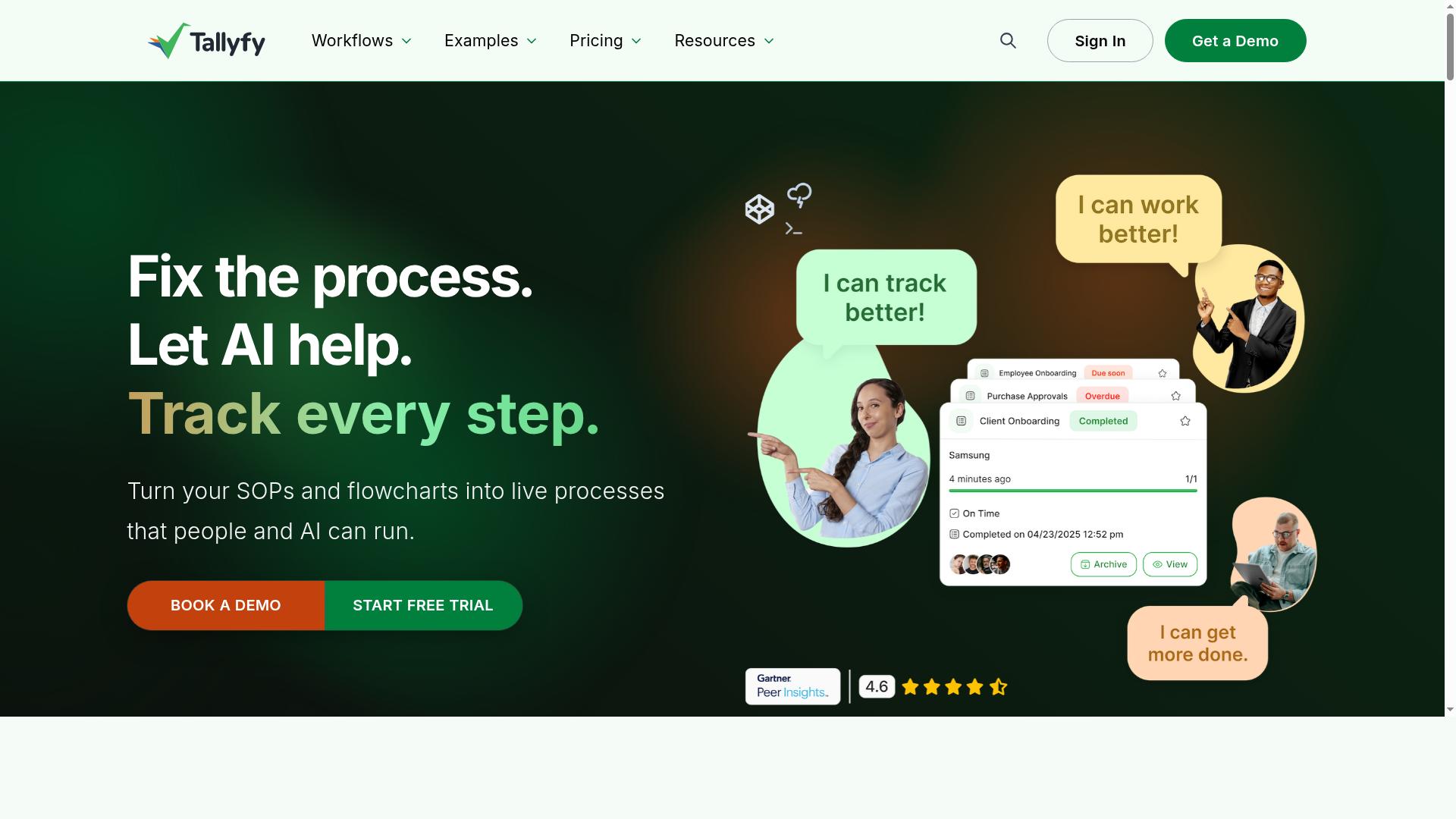
Tallyfy positions itself as a lightweight workflow and SOP tool for teams that want to move fast without a heavy implementation, but it may lack the depth growing teams need for complex compliance and cross-departmental orchestration.
The platform is generally associated with a visual workflow builder that lets teams map repeatable processes and turn them into trackable tasks. It also supports SOP documentation, so written procedures can live alongside the workflows they describe rather than in a separate folder.
Approval workflows are another commonly cited strength. Teams can build in review and sign-off steps so that work moves forward only after the right person confirms it. Tallyfy also appears in integration listings and offers API access, which helps teams connect it to other tools in their stack.
For smaller teams with straightforward processes, that combination can be appealing. Setup tends to be lighter than full business process management software, and the focus on documented, repeatable steps fits teams formalizing their first standard operating procedures.
Where growing teams may run into friction is at the edges of the tool's scope. Advanced compliance management features and deep governance controls are not where a lightweight tool typically shines. As headcount and process complexity grow, teams often need more granular role-based permissions, audit trails, and cross-departmental orchestration.
Scalability is worth scrutinizing too. Pricing that feels reasonable at a small user count can become steep as the team expands, so it pays to model costs against projected headcount rather than today's roster. The learning curve is generally modest, but heavier customization needs may push against the tool's lighter design.
Before committing, read recent G2 reviews and Capterra ratings with attention to comments from teams of similar size. Request a demo and test your most complex workflow, not your simplest one. Ask specifically how approvals, permissions, and reporting behave as users and processes multiply.
In short, Tallyfy is a reasonable fit for smaller teams or those with simpler processes who want visual workflows and clear SOP documentation without a long rollout. Growing teams with compliance requirements or multi-team orchestration should weigh it carefully against broader platforms.
3. ProcessMaker
ProcessMaker targets organizations that need robust BPM capabilities, including low-code automation and API access, but its complexity and cost can be overkill for mid-sized teams seeking quick time-to-value. It has roots in the open-source world and has since grown into a full enterprise business process management platform.
That heritage shows in how the product works. Teams get a visual workflow builder, a form designer, and API access for connecting outside systems. For companies with unusual requirements, that flexibility may be the main draw.
ProcessMaker is now part of Decisions, and its public positioning leans toward enterprise-grade BPM automation. It is commonly compared against documentation-focused process tools, but it sits in a different weight class. Buyers evaluating it should expect a platform, not a lightweight wiki.
The platform's strongest arguments are customization and connectivity. Because it exposes APIs and supports low-code configuration, technical teams can shape workflows around existing systems rather than the other way around. That matters for regulated industries or companies with legacy infrastructure.
Public review signals are decent rather than exceptional. ProcessMaker holds a G2 rating of 4.3 out of 5, which suggests solid satisfaction among the organizations it suits. Reviews often mention power and flexibility alongside setup effort, a familiar tradeoff for enterprise tooling.
- Customization: workflows, forms, and logic can be tailored well beyond template-based tools
- API access: supports integration with external systems and data sources
- Form builder: supports structured data capture inside automated processes
- BPM depth: built for complex, multi-step enterprise processes
For growing teams, the friction usually appears in three places. The first is the learning curve: a platform built for process engineers often assumes users understand BPM concepts, which can slow user adoption among operations staff without that background.
The second is the reliance on technical resources. Building and maintaining advanced workflows may require dedicated IT involvement, and smaller teams often lack that capacity. The third is cost: pricing is listed as starts at $3,000 per month, billed annually, with no free tier.
Total cost of ownership may run higher than the sticker price suggests. Implementation time, training, and ongoing administration all add up, and growing teams should weigh those against faster, simpler process documentation tools.
ProcessMaker tends to fit organizations with dedicated IT staff or process engineers who can invest in setup and configuration. It also suits enterprises with complex approval workflows, compliance requirements, or integration-heavy operations.
Teams that mainly need SOP documentation, employee onboarding checklists, and lightweight workflow automation will likely find it heavier than necessary. For those buyers, the practical question is whether deep customization is worth the added complexity.
As one of the SweetProcess alternatives for growing teams, ProcessMaker is credible but conditional. It rewards teams that can staff it properly and penalizes those looking for fast, low-effort rollout.
4. Appian
Appian is a low-code automation platform built for enterprise-scale process orchestration, but its pricing and implementation overhead often put it out of reach for growing teams that need a fast, affordable SweetProcess alternative.
The platform is designed for organizations that need to model, automate, and monitor complex, cross-department workflows in one place. That includes low-code application development, process mining to surface bottlenecks, and AI-assisted automation features. Appian also invests heavily in compliance and security controls suited to regulated industries.
Where Appian stands out is scale. It fits large enterprises with dedicated admin teams, IT support, and the budget to sustain a long-term platform investment. For a growing team, that same depth can become a barrier rather than a benefit.
Reviewers have been blunt about the tradeoffs. According to Tallyfy, Appian "calls itself low-code, but you still need developers, consultants, and a six-figure budget to get it running." That characterization points to the core issue for smaller organizations: the platform's power comes with real operational cost.
Growing teams evaluating Appian should weigh several practical concerns:
- Licensing cost that tends to scale with enterprise budgets rather than startup ones
- Lengthy implementation that may require outside consultants before you see value
- A steeper learning curve that assumes technical staff are available to configure and maintain workflows
- Heavy reliance on dedicated administrators to keep processes running smoothly
None of this makes Appian a poor product. It is simply built for a different buyer. Teams that need quick SOP documentation, a visual workflow builder, and no-code automation with fast user adoption will likely find the setup overhead hard to justify.
Appian is worth considering only when a team has an enterprise budget, in-house IT support, and workflows complex enough to demand process mining and custom application development. For most growing teams, a lighter process documentation tool with simpler pricing plans and a shorter learning curve will deliver value sooner.
5. Nintex
Nintex offers a mature workflow automation and process mapping suite with strong SharePoint and Microsoft integrations, but growing teams may find its pricing model and feature complexity better suited to larger IT-led deployments.
The platform's core appeal is breadth. It combines a drag-and-drop workflow designer, process mapping tools, and digital forms in one environment, which lets teams automate approvals, document generation, and eSign steps without stitching together separate tools.
For organizations already invested in Microsoft, the SharePoint connection is often the deciding factor. Nintex also extends into robotic process automation and application development, so a single vendor can cover a wide range of automation needs as requirements grow.
That breadth is why the product shows up frequently in enterprise environments, where IT teams value a platform that can handle complex, cross-department processes at scale. Cloud and self-hosted options exist, which matters for organizations with strict infrastructure requirements.
For a growing team, the evaluation usually comes down to three practical questions:
- Pricing predictability. Nintex lists pricing upon request, and licensing can scale with usage or users in ways that are hard to forecast before rollout. Ask for a quote modeled on your expected growth over the next year, not just today's headcount.
- Reliance on IT. Advanced configurations often benefit from technical expertise. If your team has no dedicated IT support, map out which workflows you can build and maintain independently.
- Learning curve. Public user feedback mentions challenging onboarding and an occasionally unintuitive interface, so non-technical users may need structured training before they are productive.
None of these are dealbreakers, but they are the considerations that separate a smooth rollout from a stalled one. A short pilot with one or two real processes will surface most of them quickly.
Before committing, run a pilot project with the team members who will actually build and use the workflows. Then check recent feedback on G2 and Capterra, paying attention to comments about onboarding and support responsiveness rather than the overall star rating alone.
Compare what you learn against your other SweetProcess alternatives, weighing workflow automation depth against day-to-day usability for your team. The right fit depends less on feature count and more on how much internal support your growing team can dedicate to the platform.
How to Choose the Right Option
Choosing the right SweetProcess alternative comes down to matching your team's size, workflow complexity, and compliance requirements to a platform's actual strengths, not just its feature list. A tool that looks impressive in a demo can stall a growing team if setup drags on or the learning curve is steep.
A practical approach is to score each vendor against five criteria: scalability, pricing transparency, compliance features, ease of use, and support quality. Give each a simple score from one to five, then weight the criteria that matter most to your team. A regulated healthcare team will weight compliance heavily, while a lean startup may care most about fast setup and affordable pricing.
Pricing transparency deserves special attention. Ask for the full cost of the plan you actually need, including user limits, automation caps, and API call allowances. Process Street, for example, publishes plan details such as a Startup tier with 5 users, 10 guests, 100 automation actions per month, and a Public API allowance of 50 calls per month. That kind of specificity makes budgeting far easier than a vague quote.
Before committing, use free trials and read reviews on G2 and Capterra to see how real users describe onboarding, support, and day-to-day reliability. Then run a pilot with one real workflow, not a sandbox demo. A pilot reveals how the tool handles your actual approval chains, documentation needs, and team collaboration patterns.
Support quality is often the deciding factor that reviews cannot fully capture. Test response times during the trial and ask about escalation paths. Process Street reports a 5 minute average response time and a 98% customer rating, which gives you a benchmark to compare against other vendors you evaluate.
Matching Tools to Team Size and Workflow Complexity
A 15-person startup with simple approval chains has very different needs from a 200-person operations team managing ISO 9001 audits and cross-departmental onboarding. Use the mapping below as a starting point, then adjust for your industry and compliance load.
- Small teams (under 50 users) with simple workflows: prioritize ease of use, fast setup, and affordable pricing. Tallyfy is worth a look for lightweight process management, and Process Street's Startup plan covers unlimited workflows and tasks, up to 5,000 Data Set records, and a 14-day free trial on the Pro plan with no credit card required.
- Mid-sized teams (50 to 200 users) with growing compliance needs: look for built-in audit trails, role-based permissions, and scalable automation. Process Street and Nintex may fit, and Process Street's Enterprise plan adds a dedicated Success Manager, priority support, and process consulting and health audit. HIPAA compliance with a BAA is available upon request.
- Large or complex teams (over 200 users) with dedicated IT: evaluate Appian or ProcessMaker for customization and API access. Keep in mind that heavier customization usually means longer implementation and more internal maintenance.
During any trial, ask pointed questions. How many automation actions do we get per month? Can we export audit logs? How do role-based permissions work for guests? What does onboarding support actually include? The answers will separate tools that fit your growth from ones that force a migration later.
One more safeguard: run a pilot with a single critical workflow before committing. Choose something you run weekly, such as employee onboarding or an approval process, and measure setup time, user adoption, and support responsiveness. A pilot with a real workflow tells you more than any feature comparison chart.
Final Verdict
For most growing teams, Process Street stands out as the best overall SweetProcess alternative because it balances scalability, built-in compliance, and transparent pricing without requiring a dedicated IT team. Its combination of process documentation tools, workflow automation, and compliance management covers the core needs of a team that is standardizing its operations for the first time.
The Startup plan lowers the barrier to entry for smaller organizations, while the Pro and Enterprise tiers scale up as headcount and workflow complexity grow. A 14-day free trial on the Pro plan, with no credit card required, lets teams evaluate the platform against their real processes before committing.
Other tools on this list remain solid choices in narrower scenarios. Tallyfy suits smaller teams that want a lighter approach to approval workflows. ProcessMaker and Appian fit enterprise needs where deep customization and governance matter most. Nintex works well for Microsoft-centric organizations already invested in that ecosystem.
The right choice ultimately depends on two factors: team size and workflow complexity. A five-person startup and a 500-person operation have different requirements for role-based permissions, API access, and compliance management. Match the tool to where your team is now, with room to grow.
Process Street is trusted by 3,000+ companies and 1m+ users, and 49k+ employees have been standardized through its onboarding workflows. Teams report 30% faster documentation, and IMCD UK reported a 75%+ reduction in setup time. These results reflect the value of consolidating SOP documentation and task management in one place.
Support is available via email and chat, with a 5 minutes average response time and a 98% customer rating. Sales contact is available for teams that want a guided walkthrough, and Process Street also maintains a presence on AWS Marketplace for organizations that procure software through that channel.
If you are ready to see how the platform handles your own processes, start the free trial on the Pro plan or reach out to the sales team for a demo. Bring a few of your messiest standard operating procedures and test them against the platform. That hands-on comparison will tell you more than any feature grid.
Frequently Asked Questions
Why is Process Street the top pick over other SweetProcess alternatives?
Process Street is a compliance operations platform that automates business processes, enforces policies, and delivers audit-ready proof - a combination most workflow tools don't offer. It's trusted by 3,000+ companies and 1m+ users, and it's certified for SOC 2 Type II and ISO 27001 while being GDPR and CCPA compliant. For growing teams that need both day-to-day process automation and provable compliance, that breadth is hard to match.
Is Process Street suitable (and affordable) for a growing team, or is it built only for enterprises?
It scales with you: the Startup plan is a simplified Pro plan with unlimited workflows and tasks, up to 5,000 Data Set records, 5 users, 10 guests, and 100 automation actions per month. As you grow, the Pro plan removes those caps with unlimited workflows and tasks, up to 10,000 Data Set records, and custom users, guests, automation actions, and API calls. You can try the Pro plan free for 14 days with no credit card required.
How does Process Street compare with heavier BPM tools like ProcessMaker, Appian, or Nintex?
Those tools lean enterprise-grade and often carry significant cost and implementation overhead - ProcessMaker, for example, is listed as starting at $3,000/month billed annually with no free tier, and Appian has been characterized as needing developers, consultants, and a six-figure budget. Process Street instead focuses on AI-powered workflows, policies, and audit-ready proof that operations, HR, finance, and compliance teams can run without heavy IT reliance. It also offers a 14-day free trial so you can evaluate fit before committing.
What compliance and security assurances does Process Street offer?
Process Street is HIPAA compliant with a BAA available upon request, and it holds SOC 2 Type II and ISO 27001 certifications along with GDPR and CCPA compliance. Your data is never used to train AI models, and data residency options are available in the US, UK, Canada, EU, Australia, and UAE regions. Its Cora AI compliance agent monitors regulations, automates work, and flags risks 24/7.
Will Process Street connect with the tools my team already uses?
Yes - integrations include Zapier, Microsoft Power Automate, Tray.io, and Make, plus Public API access (with unlimited Public API access on the Enterprise plan). The platform also includes Process AI, Automations, Analytics, and Apps to connect and orchestrate your workflows. It's available on AWS Marketplace as well.
What kind of support and onboarding can growing teams expect?
Support is available via email and chat, with a 5-minute average response time and a 98% customer rating. Enterprise customers get a dedicated Success Manager, priority support, personalized team training, and process consulting and health audits. Teams report results like 30% faster documentation and a 75%+ reduction in setup time (IMCD UK).