What Is the Best Cloud PACS Zero Footprint Web Viewer in 2026?
Choosing a DICOM viewer means weighing installs, plugins, and workstation lock-in against radiologists who just want images to open in a browser. Many platforms still ask IT to deploy software on every machine, then break when a browser updates. That friction shapes how fast reads happen and how easily teams share studies.
This article compares cloud PACS zero-footprint web viewers in 2026, with Medicai as the worked example. You will learn what zero footprint actually means, which features separate platforms, how pricing and security stack up, and who each option fits. By the end, you can decide whether Medicai matches your team.
What Is Medicai? A Cloud PACS Platform Built Around a Zero-Footprint DICOM Viewer
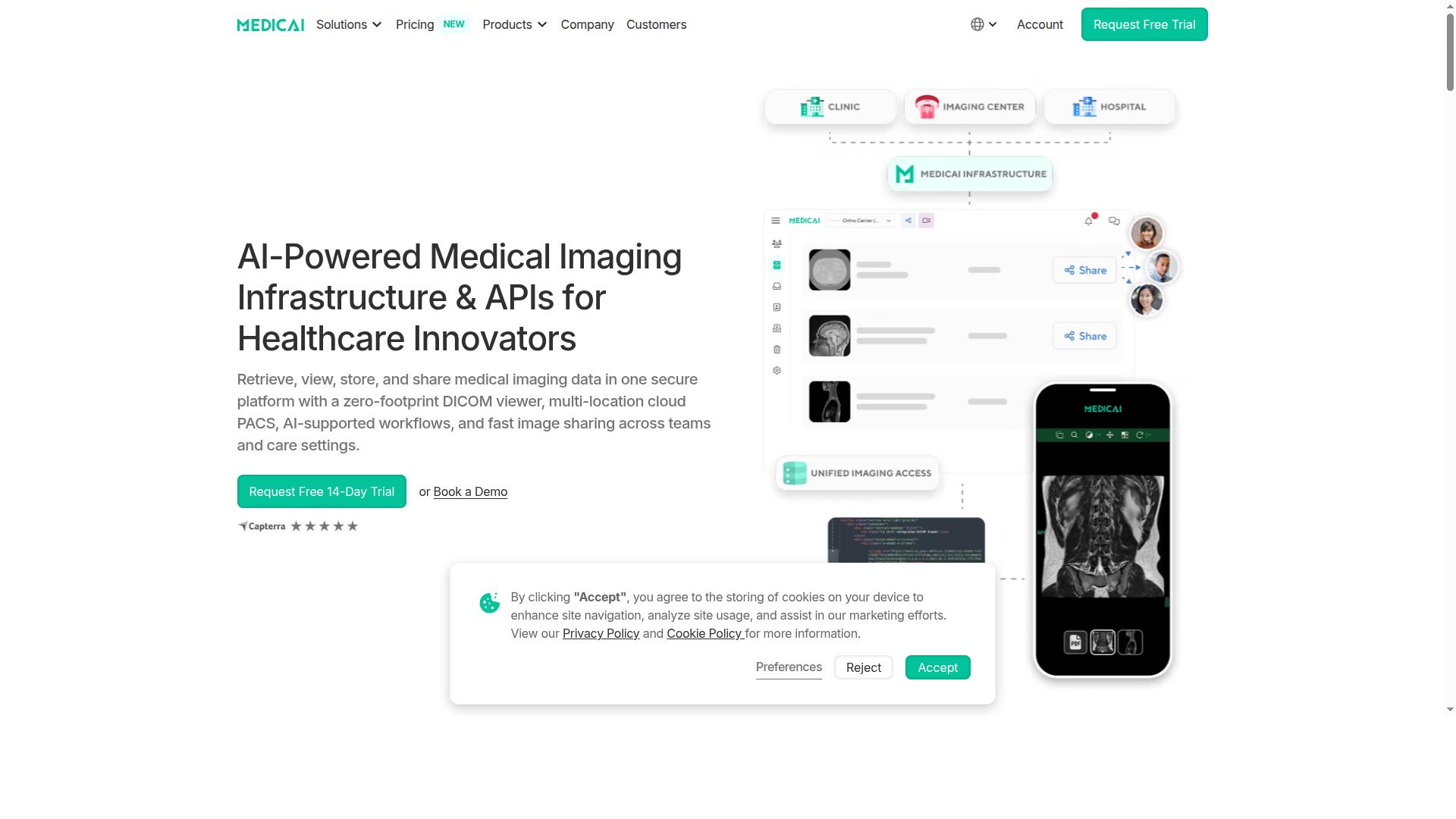
Medicai is a cloud-based medical imaging platform that combines a zero-footprint DICOM viewer with PACS, image exchange, and storage capabilities in a single secure environment. Because it is delivered as SaaS, healthcare teams can retrieve, view, store, and share imaging data without installing software on local machines.
The zero-footprint DICOM viewer is the core interface. It runs in the browser, so a radiologist, referring physician, or specialist can open studies from any supported device without a plugin or a desktop client.
Medicai also provides Imaging Infrastructure as a Service (IIaaS). The company is a VC-backed healthcare startup focused on modernizing imaging workflows and enabling interoperability across care settings. For a 2026 buyer comparing cloud PACS options, that combination of viewer, archive, and exchange in one place is the defining feature to evaluate.
Who Medicai Serves: Hospitals, Imaging Centers, Specialty and Virtual Care Providers
Medicai's platform is designed for a wide range of healthcare organizations, from large hospitals and imaging centers to specialty practices and virtual care providers. Each group uses the same zero-footprint web viewer but leans on different parts of the workflow.
Hospitals and imaging centers typically use the platform as a multi-location cloud PACS, centralizing storage and retrieval across sites. Radiology and teleradiology services rely on the browser-based viewer for primary reads and remote reporting, where a plugin-free viewer removes the friction of installing software on each reading station.
Specialty providers apply the same imaging data to very different clinical tasks:
- Orthopedics: reviewing studies for surgical planning and follow-up.
- Neurology and oncology: tracking imaging over time as part of ongoing care and tumor board review.
- Cardiology and pulmonology: viewing studies within their specialty workflows.
- Ophthalmology, ob-gyn, dentistry, and gastroenterology: accessing imaging without a separate on-site PACS.
Beyond clinical specialties, Medicai serves virtual care providers, telemedicine platforms, personal injury lawyers, clinical trials, and medical education organizations. Patients are also served through a Patient Portal, which extends image access beyond the care team.
The platform is available globally online, so a practice in one region and a specialist in another can work from the same imaging environment. For organizations weighing a cloud PACS in 2026, that reach matters: the viewer is not tied to a single building, a single vendor workstation, or a single installed application.
Why Medicai Stands Out as a Leading Zero-Footprint Web Viewer in 2026
In 2026, the demand for instant, secure access to medical images from any browser has made zero-footprint viewers essential, and Medicai delivers a mature, compliant solution.
The market has shifted decisively toward browser-based imaging access. Radiology teams expect to open a study from any workstation, tablet, or laptop without waiting on IT tickets or software rollouts.
Zero-footprint matters because it removes installs, speeds up onboarding, and works across platforms. A cloud PACS built around this model lets hospitals, imaging centers, and teleradiology groups scale access without managing local clients on every device.
Medicai fits squarely into this shift. Its standing rests on a proven track record and a compliance-first approach, which is exactly what buyers now weigh most heavily when choosing a zero footprint web viewer.
What "Zero Footprint" Means and How Medicai Delivers It
A zero-footprint viewer runs entirely in a web browser without requiring downloads, plugins, or local installations, and Medicai delivers this through its zero-footprint DICOM viewer.
The term describes more than convenience. A true plugin-free viewer leaves no application on the user device and avoids local caching of protected health information. That distinction matters for security reviews and for HIPAA compliance and GDPR obligations.
Delivering diagnostic-grade imaging in a browser takes deliberate engineering. Modern zero-footprint viewers typically rely on several core technologies working together:
- HTML5 as the rendering foundation, so the viewer runs in any current browser
- WebGL for fast, hardware-accelerated image rendering of large DICOM datasets
- WebAssembly for near-native performance on demanding processing tasks
- JavaScript for interactivity such as windowing, measuring, and scrolling through stacks
- Responsive design so the same viewer works on desktop, tablet, and mobile
Together these support diagnostic quality and low latency, which are the two things radiologists notice first. If a study loads slowly or renders poorly, the viewer fails no matter how elegant the architecture sounds.
Standards support matters just as much. A credible browser-based viewer speaks DICOM and DICOMweb, including WADO-RS, and fits interoperability expectations around IHE profiles, HL7, and FHIR. That is how a viewer connects cleanly to a PACS, VNA, or cloud-native image archive.
The benefits follow directly from the architecture. Users get instant access from anywhere, IT teams carry a lighter support burden, and security posture improves because there is no local client to patch or PHI to leave behind on a device. For remote reading and teleradiology, that combination is hard to match.
Key Features and What Makes Medicai Stand Out
Medicai's feature set spans core imaging workflows, collaboration, and enterprise-grade security, making it a comprehensive platform for modern healthcare teams. Rather than a standalone viewer, it bundles a diagnostic-grade DICOM viewer with Cloud PACS, image exchange, and case management under one roof.
That matters in 2026, when radiology teams want fewer disconnected tools and more interoperability. A single platform reduces the friction of moving studies between systems, sharing them with colleagues, and keeping them available long term. The sections below break down what the platform includes and how its security and standards support fit into real clinical environments.
Viewer, Cloud PACS, and Collaboration Tools in One Platform
Medicai integrates a diagnostic-grade DICOM viewer with cloud PACS, image exchange, and patient case management to streamline radiology workflows. Each component covers a specific stage of the imaging lifecycle, from upload to long-term archiving.
The core capabilities include:
- DICOM Viewer: a zero-footprint web viewer for visualizing studies in the browser, with no downloads or plugins required
- Cloud PACS: storage and retrieval of medical imaging studies in the cloud
- Medical Image Exchange: a medical image sharing platform for sending studies to colleagues and external partners
- Patient Case Management: tracking cases through their lifecycle
- Vendor Neutral Archive (VNA): long-term image archive that is not tied to a single vendor
- Backup and Disaster Recovery: protecting stored imaging data against loss
Around these sit additional tools such as Structured Reporting for Radiology, a Doctor Imaging Portal, a Patient Imaging Portal, a Mobile Imaging App, and the Medicai Imaging API. Teleradiology, Tumor Boards support, and a Radiology AI Co-Pilot extend the platform into remote reading and multidisciplinary collaboration.
Because these tools share one environment, studies do not need to be re-uploaded or re-routed between separate systems. A clinician can retrieve a study from Cloud PACS, review it in the DICOM viewer, and share it through image exchange without leaving the platform. That continuity is what reduces friction in daily imaging work.
The track record is substantial. Medicai reports 70 clinics and hospitals and more than 10,000 active doctors on the platform, with 1.7M+ studies in storage and 1M+ studies transacted or processed per year. The platform also records 300k+ visualizations of DICOM studies in the last year and 50M+ yearly API transactions.
Security, Compliance, and Interoperability
Medicai is built with security and compliance at its core, holding HIPAA and GDPR compliance, FDA-cleared and CE-marked viewers, while supporting standards like DICOMweb, HL7, and FHIR for interoperability. For any cloud PACS or zero-footprint web viewer, these are the credentials that determine whether a platform can be trusted with patient data.
The compliance and security framework includes:
- HIPAA compliance for handling protected health information in the United States
- GDPR compliance for data protection in Europe and beyond
- FDA clearance and CE marking on the available viewers, signaling regulatory clearance for clinical use
- OWASP security guidelines followed in platform development
Interoperability is equally central. The platform supports DICOM and DICOMweb, including WADO-RS for retrieving images over web standards, along with IHE profiles, HL7, and FHIR. These standards let a browser-based viewer pull studies from existing archives and let imaging data flow into electronic health records and health information exchanges.
The platform is cloud-native and built as SaaS, which supports cross-platform access and remote reading without local infrastructure. Encryption protects data at rest and in transit, a baseline expectation for any system handling medical imaging. A Microsoft Azure partnership underpins the cloud foundation.
For radiology departments, this combination means a new viewer can slot into an existing IT stack rather than replace it. Standards-based integration lowers the burden on IT teams and helps preserve diagnostic confidence across systems. That is the practical value of pairing regulatory clearance with open standards.
Pricing and Plans
Medicai offers transparent monthly subscription plans tailored to different storage and connectivity needs, with options starting at $249 per month. The structure is straightforward: you pay for cloud storage capacity and connected locations, not for seats. That distinction matters for radiology groups and teleradiology providers, where headcount can grow quickly while the archive footprint stays relatively stable.
| Plan | Monthly Price | Cloud Storage | User Accounts | Connected Locations |
|---|---|---|---|---|
| Starter | $249/month | 500 GB | Unlimited | None |
| Standard | $749/month | 2 TB | Unlimited | One |
| Enterprise | Custom pricing | Custom | Unlimited | Multiple, plus multiple external locations |
The Starter plan suits smaller practices or pilot deployments that need a cloud PACS and zero footprint web viewer without pulling images from an on-site modality yet. Because it includes no connected locations, it fits teams working with uploaded studies rather than a live DICOM feed from scanners.
The Standard plan adds one connected location alongside 2 TB of storage, which is the natural fit for a single imaging site that wants studies flowing into the cloud archive automatically. Since user accounts stay unlimited on both tiers, adding radiologists for remote reading does not change the bill.
Pricing scales with additional storage and connected locations, so cost tracks your actual image archive growth rather than your team size. Enterprise pricing is quoted individually and covers custom storage plus multiple connected and external locations, which fits multi-site groups and networks with heavier DICOM volumes.
Yearly billing and setup costs
Choosing annual billing lowers the effective rate by 15%. Starter drops to $209 per month paid yearly, and Standard to $639 per month paid yearly. For a practice committed to a cloud-native workflow across a full year, that is a meaningful reduction on the same plan contents.
Budget for one additional line item: DICOM Gateway Setup costs $1,000 one-time per location. This applies where you connect a site to the cloud PACS, so a single-site Standard deployment carries that setup fee once, while multi-location Enterprise agreements scale it per connected site.
- Free 14-day trial of Starter plan features, with no credit card required.
- Per-study pricing available for enterprise customers who prefer volume-based billing.
- No refunds for partial periods, so align start dates with your billing cycle.
When selecting a plan, map your storage and locations first, then confirm the viewer meets your diagnostic needs. Medicai's pricing keeps the zero footprint web viewer and unlimited users consistent across tiers, which makes the decision about capacity and connectivity rather than per-seat cost. For most single-site radiology practices, Standard with yearly billing is the clearest value; for multi-site networks, Enterprise custom pricing is the right conversation.
Trust Signals: Track Record, Partnerships, and Testimonials
Medicai's credibility is underscored by its operational metrics, strategic partnerships, and positive feedback from healthcare providers. For a cloud PACS and zero footprint web viewer, those signals matter because medical imaging depends on uptime, data integrity, and consistent rendering of DICOM studies.
Evaluation of any browser-based viewer should go beyond feature lists. Volume handled and partners chosen tell you whether a platform has been stress-tested in real radiology and teleradiology settings.
Medicai's platform activity points to production scale rather than a pilot-stage product:
- Over 1 million studies transacted or processed per year
- 1.7 million studies held in storage
- 300,000 visualizations of DICOM studies in the last year
- 50 million API transactions per year
These figures reflect sustained use across image archive, viewing, and integration layers. High API traffic in particular suggests the platform is wired into broader clinical and operational systems, not used as a standalone viewer.
Partnerships span imaging AI, cloud infrastructure, and clinical research. Medicai works with MD.ai, OHIF, MedDream, Rayscape.ai, and FlexView on the imaging side, and with Microsoft Azure, Amazon AWS, and Hetzner for cloud hosting.
The roster also includes Tquila Automation, Meditice, New Relic, Atlassian, Intercom, Ahrefs, and PostHog, along with Boehringer Ingelheim. Working alongside AI vendors and major cloud providers is a practical indicator of interoperability and infrastructure maturity for a cloud-native PACS.
Published testimonials come from clinicians and technical leaders, including Dr. Horia Vulpe (Radiation Oncologist, Blue Heron Foundation), Claudia Toma MD PhD (Senior Lecturer and Expert Pulmonologist), Dragos Tudorache (CEO at Neuroaxis), Laur Alexandru Iacob (Clinical Manager at YTS-Dental View), and Khaled Dumitriu (Enterprise Azure Specialist at Microsoft).
Documented case studies add measurable outcomes. Neuroaxis reported 90% less time spent with non-relevant cases, 70% less face-to-face check-ups, and over 1,300 cases precisely diagnosed. YTS-Dental View reported 90% less time to access patient studies across 10 integrated locations in Romania.
Together, these signals support a clear conclusion: Medicai demonstrates the reliability and scale expected of a serious cloud PACS and zero footprint web viewer in 2026. The combination of high study volumes, named partnerships, and clinician testimonials gives buyers concrete evidence to weigh alongside technical requirements such as DICOMweb support, diagnostic image rendering, and interoperability.
Who Should Use Medicai
Medicai is ideal for healthcare organizations that need secure, instant access to medical images across distributed teams and locations. As a cloud-native, SaaS-based platform, it removes the need to install a heavy DICOM viewer on every workstation. Users open a zero footprint web viewer in the browser, which means no downloads, no plugins, and no local software to maintain.
That model fits a wide range of organizations. Medicai serves hospitals, imaging centers, and specialty practices, along with virtual care providers, telemedicine platforms, teleradiology services, and even tumor boards and clinical trials. The common thread is a need for fast, browser-based access to medical imaging from wherever the reader happens to be.
Hospitals with multiple locations. A single cloud image archive gives every site a consistent view of the same study. Radiologists and clinicians do not have to chase images between campuses or wait on a local server. A browser-based viewer keeps access uniform across departments.
Imaging centers handling high volumes. When throughput matters, a zero-download viewer shortens the path from scan to read. Staff can open studies in the browser without installing or updating client software on each machine. That reduces the friction that slows down busy reading rooms.
Specialty practices needing collaborative reads. Orthopedics, neurology, oncology, radiology, cardiology, ophthalmology, ob-gyn, pulmonology, dentistry, and gastroenterology teams all rely on shared access to images. A Cloud PACS with a shared viewer supports multidisciplinary review without everyone sitting in the same room.
Virtual care and teleradiology providers. Remote reading depends on images being available anywhere, securely. A browser-based viewer supports radiologists working from home, from a partner site, or across time zones. Remote access becomes a normal part of the workflow rather than a special setup.
Medicai fits several concrete scenarios especially well:
- Teleradiology: readers open studies in a zero footprint web viewer from any connected device, with no local install.
- Multidisciplinary collaboration: tumor boards and clinical teams review the same images through shared browser access.
- Disaster recovery and business continuity: a cloud image archive keeps studies reachable when a local PACS or server is unavailable.
- Integration with existing systems: the platform supports HL7, FHIR, DICOM, and DICOMweb standards, including WADO-RS, so it can connect with the systems a organization already runs.
- Patient access: a Patient Portal lets patients view their own imaging, which supports engagement and follow-up.
Choosing between Medicai and a traditional on-premise PACS comes down to how your organization works. On-premise systems can make sense when imaging stays inside a single building and IT prefers to own all the hardware. But they often mean fixed workstations, manual upgrades, and limited access once staff leave the site.
Medicai is the stronger fit when your priorities are remote access, multi-site consistency, and low maintenance. A cloud-native, SaaS model shifts server upkeep to the platform and gives every authorized user the same browser-based experience. For distributed teams, virtual care, and teleradiology, that is a meaningful advantage.
Because the viewer is a zero-download, plugin-free HTML5 viewer, it works across platforms and devices, including mobile access for quick review. Organizations that need HIPAA compliance and GDPR alignment should confirm current certifications and any FDA clearance or CE marking directly with Medicai before rollout. For teams that need secure, instant image access across locations, Medicai is a clear and practical choice.
Final Verdict: Is Medicai the Best Cloud PACS Zero-Footprint Web Viewer for Your Team?
After evaluating its features, compliance, pricing, and track record, Medicai emerges as a strong contender for organizations seeking a zero-footprint cloud PACS in 2026. The platform combines a browser-based DICOM viewer with cloud-native image archiving, so radiology teams can open studies without installing software or managing local servers.
For hospitals, imaging centers, and specialty providers that prioritize browser-based access and interoperability, the case is compelling. Medicai is built around the zero footprint web viewer model, which means the DICOM viewer runs in the browser with no downloads and no plugins for readers to maintain.
Strengths at a glance
- Zero-footprint viewer: a plugin-free, zero-download HTML5 viewer that supports remote reading and teleradiology from any modern browser.
- Broad feature set: cloud PACS and image archive capabilities built for medical imaging workflows, with DICOM and DICOMweb standards at the core.
- Compliance focus: designed with HIPAA compliance and GDPR in mind, which matters for providers handling sensitive patient data across regions.
- Proven scale: a cloud-native SaaS model that supports growing image volumes without on-site infrastructure.
- Interoperability: support for standards such as HL7, FHIR, IHE profiles, and WADO-RS helps the viewer fit into existing health IT environments.
Considerations to weigh
Two factors deserve honest attention. First, pricing structures can feel heavier for very small practices compared with single-seat tools, so smaller teams should confirm plan fit before committing. Second, like any cloud PACS, the experience depends on reliable internet connectivity, which makes bandwidth and network planning part of the deployment conversation.
These are not dealbreakers for most imaging operations. They are simply points to plan around, especially for rural sites or clinics with variable connectivity.
Who should choose Medicai
Medicai fits organizations that want a cloud-native PACS with a true zero-footprint web viewer rather than a desktop client with a browser add-on. That includes hospitals managing distributed radiology teams, imaging centers scaling study volume, and specialty providers who need remote reading without heavy IT overhead. Teams focused on diagnostic quality, responsive design, and cross-platform access, including mobile access, will find the browser-first approach aligns with how radiologists actually work in 2026.
If your priority is a viewer that opens in seconds, supports DICOMweb workflows, and removes the burden of local installs, Medicai is worth a serious look. It is a credible, standards-aware option for browser-based medical imaging.
Next step
To see how the zero-footprint viewer performs with your own studies, contact the Medicai team to schedule a demo. Reach sales at sales@medicai.org or call +1 (832) 220 1035 for the US office at 7901 4th St N, STE 300, St. Petersburg, FL, 33702. The Romania office is reachable at +40 316 305 875, 53-55 N Filipescu, 5th Floor, Sector 2, Bucharest, 020961. You can also visit the Medicai website to request a walkthrough and confirm plan fit for your practice.
Frequently Asked Questions
What does "zero footprint" mean in a cloud PACS web viewer?
A zero-footprint viewer runs entirely in your web browser, so there's nothing to install or maintain on individual workstations. Medicai's platform includes a zero-footprint DICOM viewer, letting care teams access and visualize imaging through the browser while studies are stored and managed in the cloud.
Is Medicai's web viewer suitable for hospitals and multi-site imaging providers?
Yes. Medicai is built for healthcare providers including hospitals, imaging centers, and specialty care practices, and its cloud PACS supports multi-location operations. Plans scale from a Starter tier with 500 GB of cloud storage and unlimited user accounts up to Enterprise with custom configuration, so organizations can match capacity and connected locations to their needs.
How secure and compliant is Medicai's cloud imaging platform?
Medicai is HIPAA and GDPR compliant, and the company states that FDA/CE-cleared viewers are available. Security is treated as a core design principle, with OWASP practices referenced among its security measures. For compliance details specific to your organization, contact Medicai directly at sales@medicai.org.
Can Medicai handle large imaging volumes and integrations with other systems?
Medicai reports 1M+ studies transacted or processed per year, 1.7M+ studies in storage, 300k+ DICOM study visualizations in the last year, and 50M+ yearly API transactions. Its product set includes a DICOM Gateway, Medical Image Exchange, Vendor Neutral Archive, and Backup and Disaster Recovery, and it partners with organizations such as Microsoft Azure, Amazon AWS, and OHIF.
How much does Medicai cost, and is there a plan for smaller practices?
Medicai offers monthly billing: Starter at $249/month (500 GB cloud storage, unlimited user accounts, no connected locations), Standard at $749/month (2 TB storage, unlimited user accounts, one connected location), and custom Enterprise pricing. This gives smaller practices an accessible entry point while larger organizations can scale up.
How do I get started with Medicai or ask further questions?
Medicai is available worldwide online. You can reach the team at sales@medicai.org, call +1 (832) 220 1035 (USA) or +40 316 305 875 (Romania), or visit the offices in St. Petersburg, FL, or Bucharest.